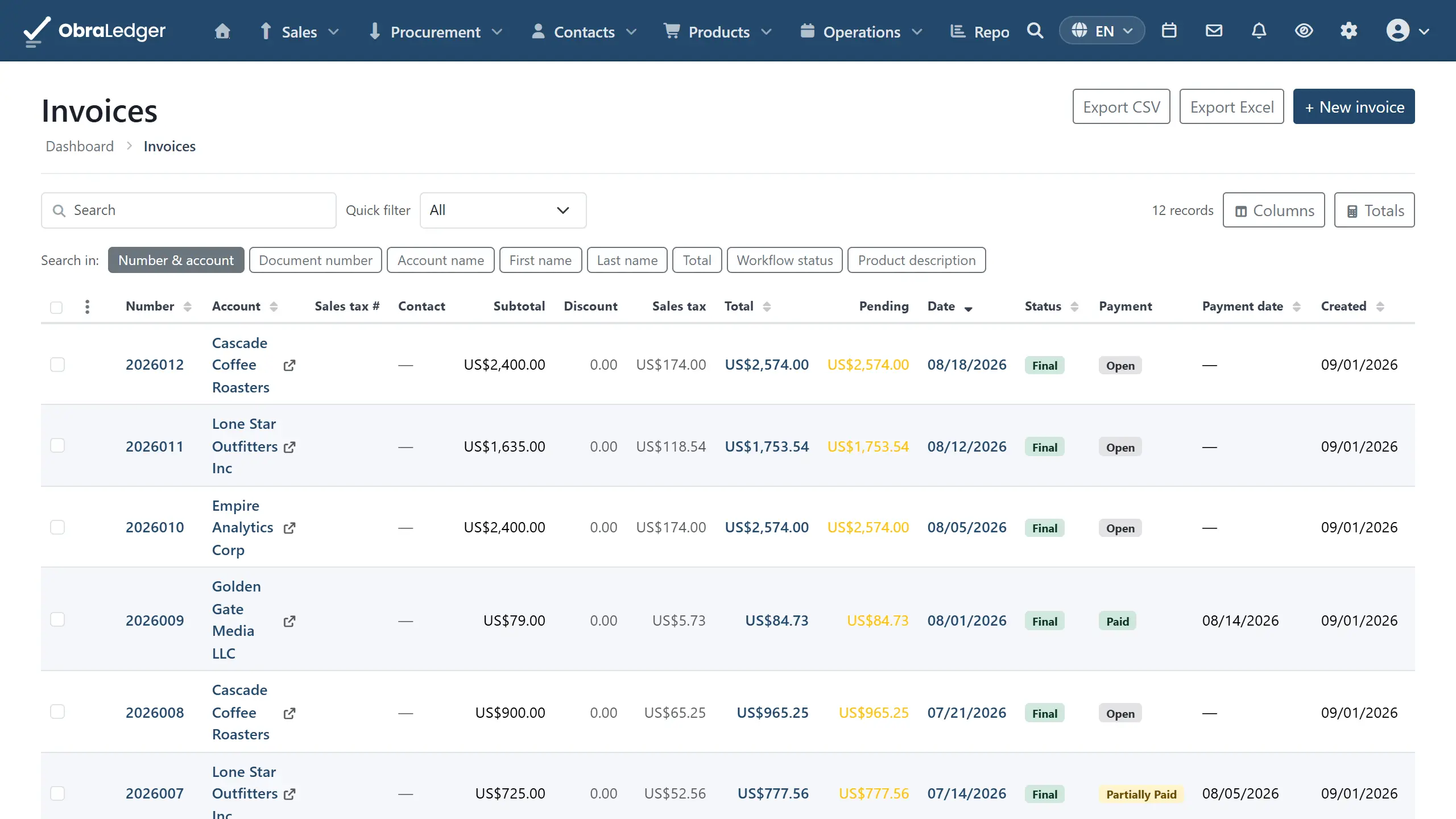
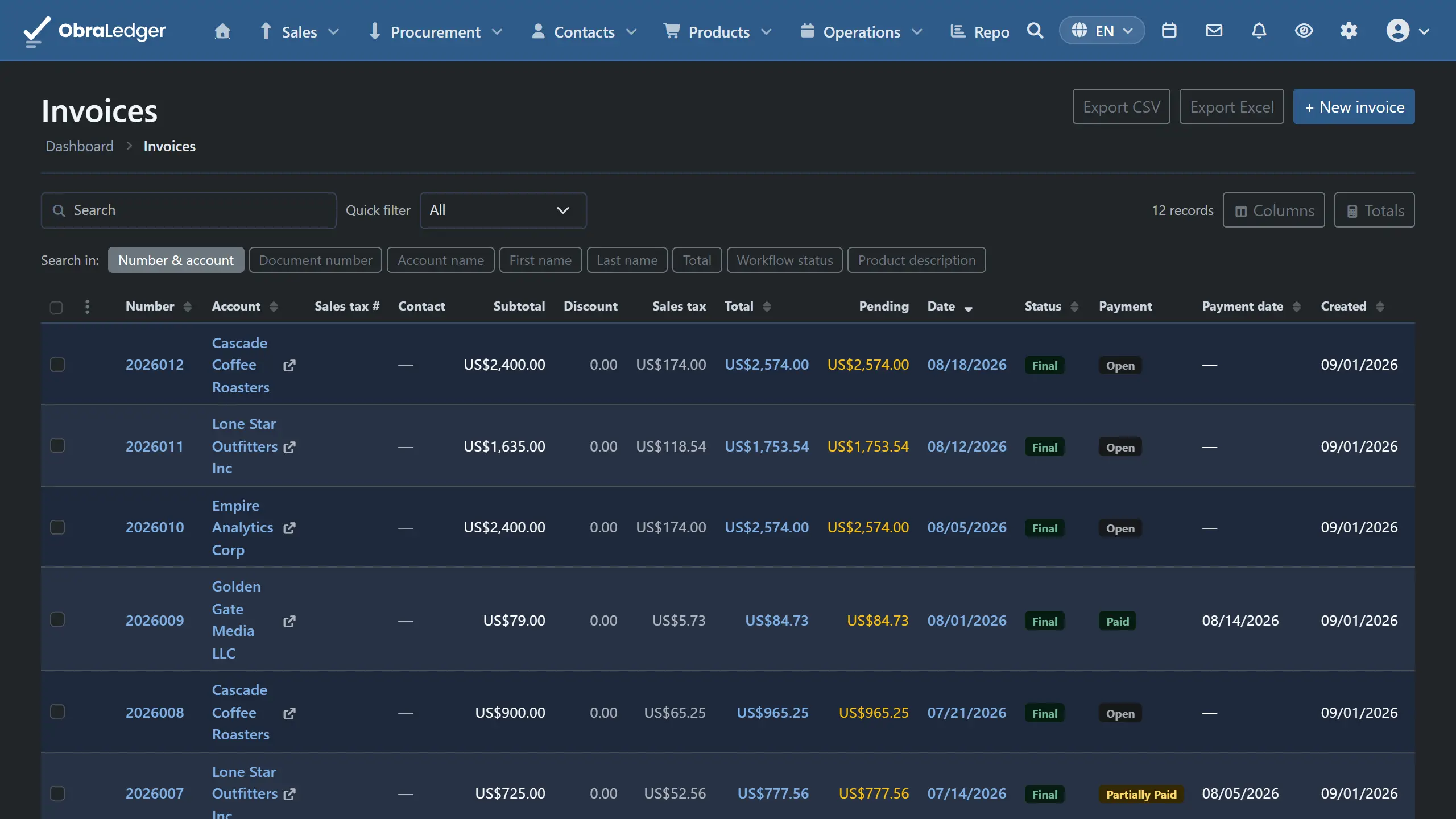
Most invoicing tools stop at the PDF. This one carries the document all the way through to your accounts. Finalize an invoice and the bookkeeping entry is already made, your customer’s balance already reflects it, and the tax is already sitting in the right box on your return.
There’s nothing to reconcile afterwards, because your invoicing and your accounting were never two separate systems.
What you can do
- Raise quotes, and turn an accepted one into an order confirmation or an invoice without retyping a single line.
- Send invoices as a PDF or an e-invoice, using your own layout, in your customer’s language.
- Fix mistakes properly with credit notes, so the original stays intact and the correction is its own document. That’s what an auditor expects to see.
- Set up recurring invoices that raise and send themselves on whatever schedule you choose.
- Track purchase documents from suppliers on the same footing as your sales, including the supplier credit notes you record when a bill was wrong.
- Chase late payers with payment reminders that go out on a schedule you set, or wait for you to read them first.
- Send a proforma invoice when a customer wants to see the bill before there is one, then turn it into the real invoice.
- Ship goods with packing notes drawn from the same lines.
- Work on a whole selection at once: finalize a month’s drafts, download them all as PDFs, or email each one to its own customer.
How it works in practice
Start from a quote, or go straight to an invoice (Sales → Invoicing → Invoices). Pick the customer and the lines fill in from your product catalog, with their price list, currency and language already applied. Totals update as you type, including tax, discounts, and any deposit or shipping you add.
Convert rather than re-enter. A quote your customer has accepted becomes an order confirmation, a packing note or an invoice in a single step, carrying its lines, addresses and terms with it. A proforma becomes the invoice the same way, once the order is firm or the money is in. The same works between types when somebody changes their mind halfway through.
Finalize when you’re ready. Until then it’s a draft and you can change anything. Finalizing gives it a permanent number, posts the accounting entry and locks the document, because an invoice you can still edit isn’t really an invoice. If something was wrong, you credit it rather than rewrite history.
A correction starts from the thing it corrects. Open a finalized invoice and choose Credit this invoice; on a supplier’s bill the same action reads Record supplier credit note. Nobody sits down meaning to make a credit note - they mean a customer sent three units back, and they’re looking at the invoice when they think it, so the verb is there rather than in a menu that would only ask which invoice they meant.
Starting from the nav still works. Raise a credit note and the first thing you get is a list of that customer’s invoices, not an empty form. Pick one and its lines come across already reversed. Pick several and you get one note covering them all, which is the usual answer when a customer disputes a quarter rather than a single invoice.
Let the customer agree the quote themselves. Send a finalized quote and tick Ask the customer to approve this quote, and the email carries a link to a page they can open without an account. They see the quote, its total and its validity, and they agree to it with their name and, if they want, a signature drawn on the screen or uploaded. The quote becomes Agreed, their name and signature appear on the PDF, and you get an email if you asked for one. The page is in the quote’s language, it takes one answer, and a customer who wants to say no replies to the email instead.
Send it however your customer wants it. Email with your own template and signature, or a payment link they can click. For European customers who insist on a structured e-invoice, there’s Peppol.
Let the repeat work repeat itself. A recurring invoice is a template plus a schedule: monthly retainers, annual licenses, quarterly service fees. It raises the real invoice on the date you set, and it’ll email it without you being there.
Chase without writing the email (Sales → Payment Reminders). Your reminder terms decide when an overdue invoice gets a reminder and what it says. A customer who owes on three invoices gets one email listing all three - what’s still open, how late each one is, a Pay now link where the invoice has one - with every PDF attached. Reminders you’ve set to wait for review sit under To review until somebody presses Send or Discard. An invoice paid in the meantime is left out, and a reminder that would be somebody’s second automated email from you that day waits for a later run. For the customer who calls to say they never got it, Send reminder now on the invoice puts the next one in To review. Workflows and reminders has the rest.
Do the month in one go. Tick a run of documents in the list and finalize the lot. A dialog counts up while it works, with a stop button, and tells you at the end which ones went through and which didn’t, each by its number and with the reason. You can also download the selection as a folder of PDFs, or email each document to its own customer with its own template and its PDF attached. Those two are built in the background, and you get a notification when they’re ready.
See what happened next. Every document keeps its own history of when it was sent, opened, paid or reminded, so “did they ever actually get this?” has an answer.
Good to know
- Finalizing only goes one way. You can reset a document back to draft while it’s still unsent and unpaid, but once it’s genuinely been issued the right fix is a credit note. That’s what keeps your numbering sequential and your books defensible.
- Emailing a customer needs a paid plan. The reason is spam: your documents go out through the same mail servers as everybody else’s, and if anonymous accounts could mail strangers, one spammer would wreck the trust that gets everybody else’s invoices into an inbox rather than a junk folder. Being on a paid plan is the check that prevents it. Until then you can finalize, print, download and send to your own registered address, which is how you see what your customer will get. Sending a whole selection is off until you’re paying, because that is by definition mail to customers.
- A credit note can’t stand on its own. It has to name the invoice or invoices it corrects before it will finalize. A note with nothing behind it is the kind of paperwork that reads fine now and can’t be explained in two years.
- Three rows say “already paid”, and the difference is tax. Amount paid is the one for almost everything, deposits taken before the work included: it reduces what’s still due and leaves the tax alone. Refundable security deposit, the rental-bond kind you’ll hand back, adds to what they pay now and isn’t taxed. Advance payment is only for Europe’s prepayment invoices, where the advance was already invoiced with tax on it: it takes that value out of this invoice’s taxable amount so the same money isn’t taxed twice. It’s off unless you switch it on for the document type, and a GST company doesn’t get it at all.
- Recurring invoices need a payment method set up if you want them collected as well as sent.
- E-invoicing over Peppol needs your business registered on the network. It’s a one-time setup on a European network, and it only matters if your customers ask for it.
- Twelve document types is more than most businesses will ever use. Nobody expects you to touch all of them. A freelancer might live entirely on quotes and invoices.