Invoice with GST. Returns ready.
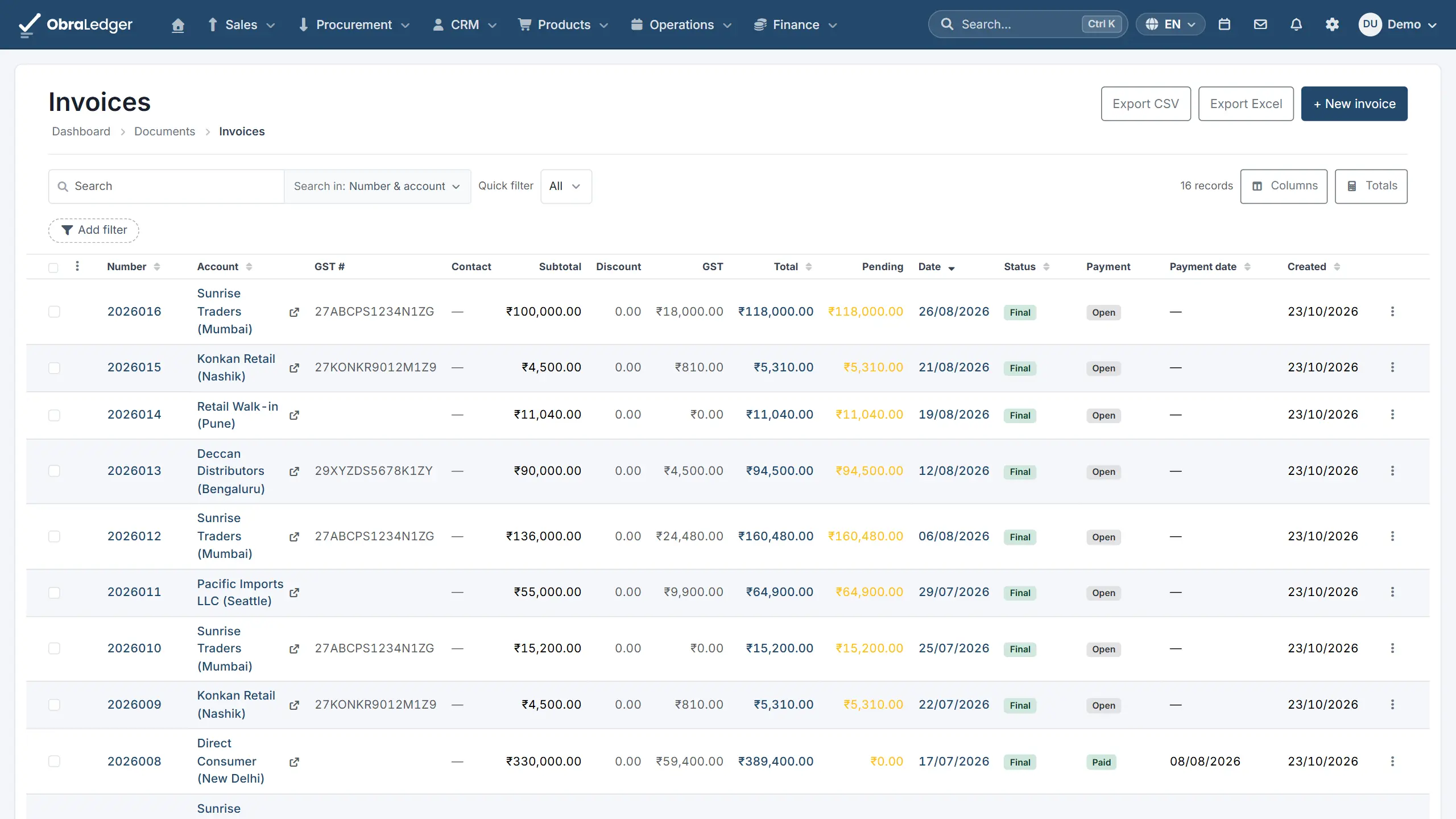
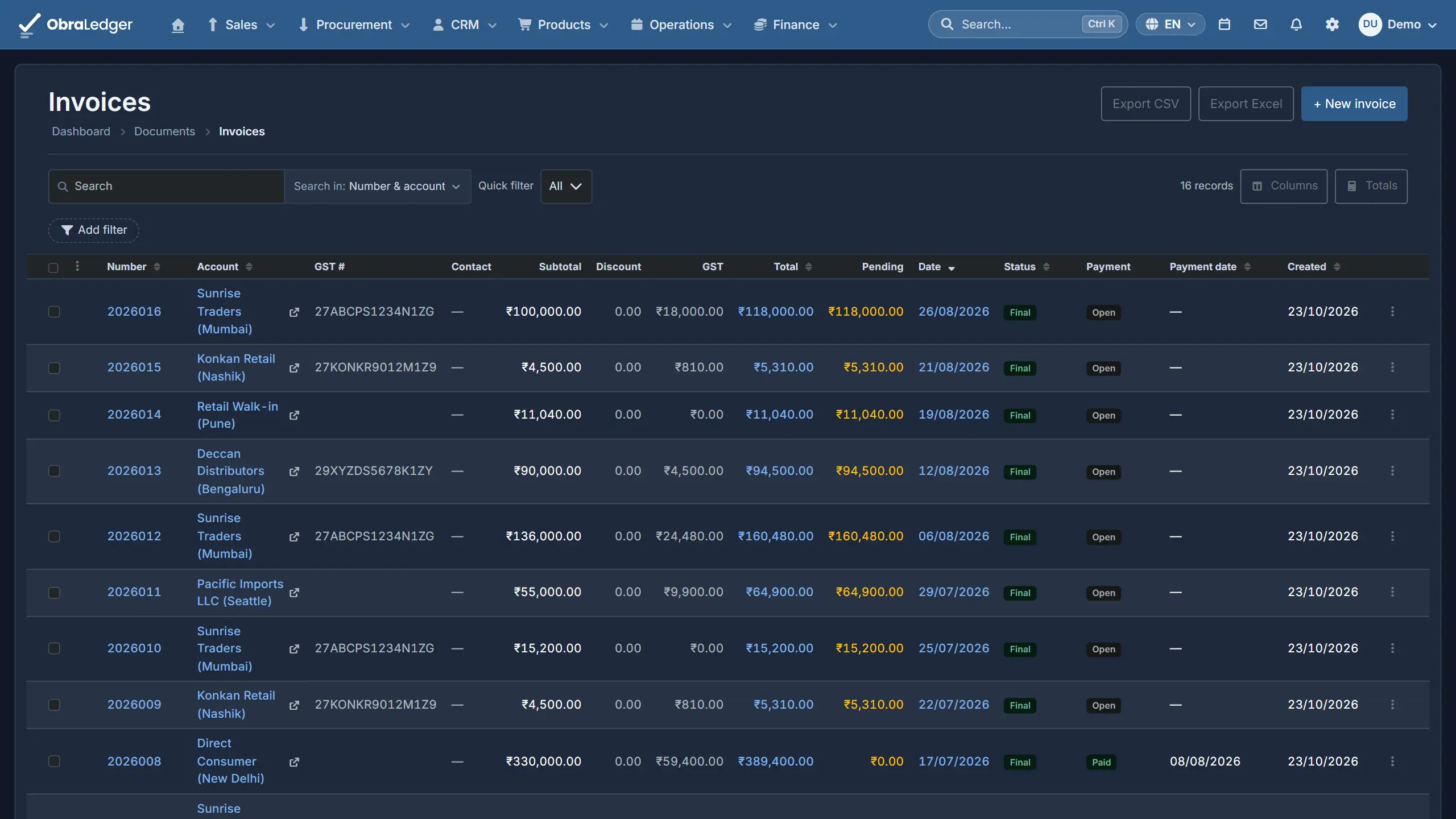
Raise the invoice and the GST is worked out on every line from your state and your buyer's. GSTR-1 and GSTR-3B read the same lines your books were posted from, so there's nothing to re-key for the return.
Free plan. No card.
What you can do
- CGST and SGST, or IGST, on every line, from your GSTIN and your buyer's
- HSN and SAC codes from the full directory, with the rate the law puts on each
- GST invoices with both GSTINs, the place of supply and a tax table per component
- GSTR-1 and GSTR-3B for any period, as the file the portal's offline tool takes
- E-invoice and e-way bill files from the invoice
- GSTR-2B checked against your purchases: credit you can still claim, and suppliers who haven't filed
- Reverse charge purchases and SEZ supplies
How it works
-
01
Set up from your GSTIN
Enter your GSTIN and it's checked when you save, check digit included, and your PAN fills itself in from it. The same screen takes your TAN, your CIN or LLPIN, and your legal form.
-
02
Invoice, and the split is done
Same state, CGST and SGST; different states, IGST - from your GSTIN and your buyer's, or their billing state if they aren't registered. Exports need nothing: a foreign billing country is enough.
-
03
File from the reports
GSTR-3B fills its boxes and works out the set-off, IGST credit first. Download the JSON for the portal, or Excel to check it first.
Good to know - Returns, e-invoices and e-way bills are files you upload to the portal yourself. Nothing here files them for you, so there's no IRN or e-way bill number until you have.
Quick answers
- Is there a free plan?
- Yes. 5 documents a month, no card to start, and real double-entry books on every plan. Prices are in US dollars, the same for every country.
- Does it file my GST return?
- No. It builds GSTR-1 and GSTR-3B and downloads them as the file the portal takes, and you upload it. E-invoices and e-way bills work the same way.
- Can I check GSTR-2B against my purchases?
- Yes. Upload the month's GSTR-2B and you get the credit you can still claim, the purchases your suppliers haven't filed, and the bills where the two disagree, matched on GSTIN and invoice number.
- Is the composition scheme supported?
- No. If you're on it, your returns need another tool.
Read the manual first
Our user guide is public, so you can read how this works before you sign up.
Other free tools
No account, no card, and a real PDF at the end.
Your whole business. Live this afternoon.
Swap the invoicing app, the stock spreadsheet and the month-end reconciling for one login.